

Authentication
All API requests to FYATU require authentication using two headers. This ensures that only authorized applications can access your business data and perform card operations.Required Headers
Every request must include these two headers:| Header | Description | Example |
|---|---|---|
Business-ID | Your unique business identifier | BUS_abc123def456 |
Authorization | Bearer token with your API key | Bearer sk_live_xxxxx |
Example Request
Getting Your Credentials
- Log into your Business Dashboard
- Navigate to API Keys & Credentials tab
- Copy your Business ID and API Key
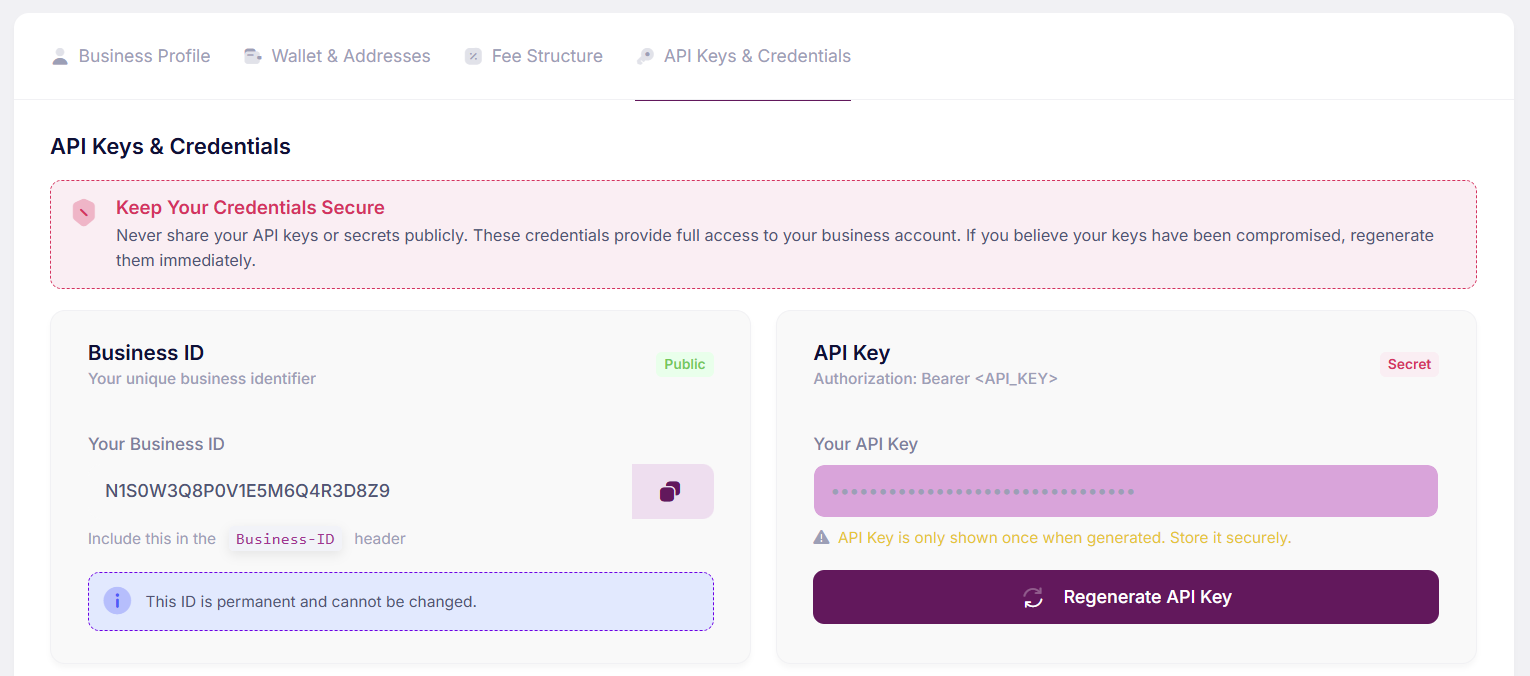
Your Business ID is permanent and cannot be changed. Your API Key is only shown once when generated - store it securely!
IP Whitelisting (Optional)
For additional security, you can restrict API access to specific IP addresses:- Go to Settings > API > Security
- Add your server’s IP addresses
- Only requests from whitelisted IPs will be accepted
Whitelist Example
IP whitelisting is optional but recommended for production environments.
Authentication Errors
| Status Code | Error | Solution |
|---|---|---|
401 | Missing credentials | Include both Business-ID and Authorization headers |
401 | Invalid Business ID | Verify your Business ID is correct |
401 | Invalid API Key | Check your API key and ensure it’s active |
401 | IP not authorized | Add your IP to the whitelist in dashboard |
401 | Business not active | Contact support to activate your account |
Error Response Example
Best Practices
Store keys securely
Store keys securely
Use environment variables or a secrets manager. Never hardcode API keys in your source code.
.env file
Use different keys per environment
Use different keys per environment
Use
sk_test_ keys for development and sk_live_ keys only in production.Rotate keys periodically
Rotate keys periodically
Generate new API keys periodically and deprecate old ones. You can have multiple active keys during rotation.
Monitor API usage
Monitor API usage
Check your dashboard regularly for unusual activity or unexpected API calls.